Features
A complete community platform: chat that scales from a handful of friends to a busy server, calls that run peer to peer or through an optional built-in SFU, and the controls to keep it all in order.
Messaging
Everything you expect from a modern chat, with the rough edges smoothed out.
- Edit, delete, reply, forward and react (staff with the new Edit Messages permission can edit others' messages; they are tagged "edited by") with Unicode and custom emoji, plus stickers.
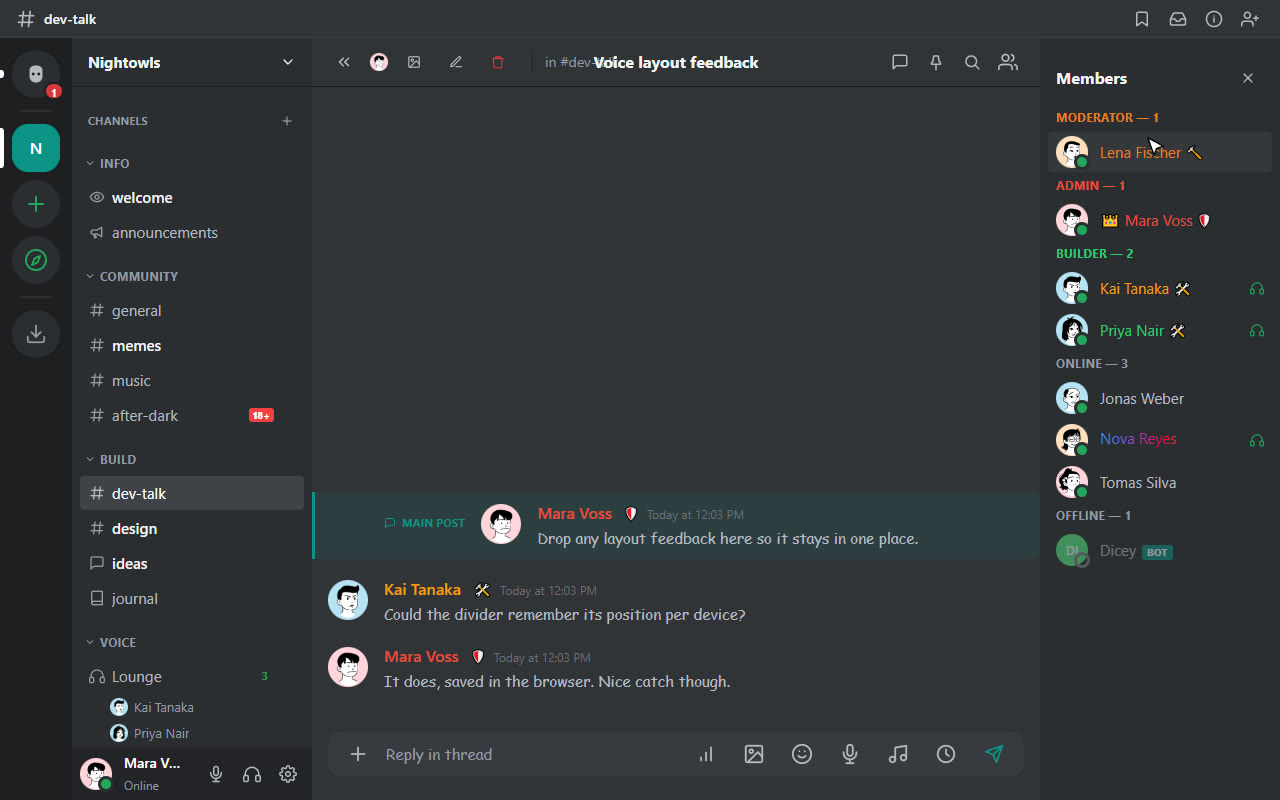
- Threads off any message and forum channels made entirely of threaded posts, with a Threads panel per channel. Forum posts show as cards with previews, thumbnails, search and sorting.
- A red "New" line marks the first unread message when you open a chat, and the view jumps there. How far it jumps and how many messages load is up to you. A banner offers jump and mark-as-read.
- Discord-style profile cards pop up next to the name you click. Your own card has Edit Profile, others have Message and a quick-message field.
- Polls, pins, link previews, code blocks with syntax highlighting and spoilers.
- Checklists: a shopping or to-do list people tick off. Unticked items are red, ticked ones green, and the whole card turns green when everything is done. Post them in channels, threads, DMs and Notes; the creator can edit the list later and let chosen members tick or edit items. Public channels need the Create Checklists permission; private channels and DMs let anyone start one.
- Voice messages up to five minutes with an inline player, recorded in the browser, desktop app or phone.
- Scheduled messages: pick a time and the message is posted as you, with the same checks as a normal one. Pending ones can be edited from the list.
- Search across message text (SQLite FTS5), usernames, channel names and attachment names.
- Up to five attachments per message, optional image resizing before upload and a play/pause button on GIFs.
- Autocomplete for @mentions, #channels, emoji shortcodes and slash commands.
Voice and video
Calls run peer to peer over WebRTC by default: there is no media server to install, host or pay for. For bigger or video-heavy rooms the administrator can switch the server to the built-in SFU voice engine (Admin Panel, Calls), where everyone uploads once to the server; the server can then technically read call media, so use it on servers you trust (setup).
- Group DMs: pick several friends from the new-message button, or press Add people in any conversation. Adding to a 1:1 starts a new group and leaves the original untouched; groups hold up to ten people. The creator moderates a group: edit or delete any message and remove members, until two are left and it becomes a plain 1:1.
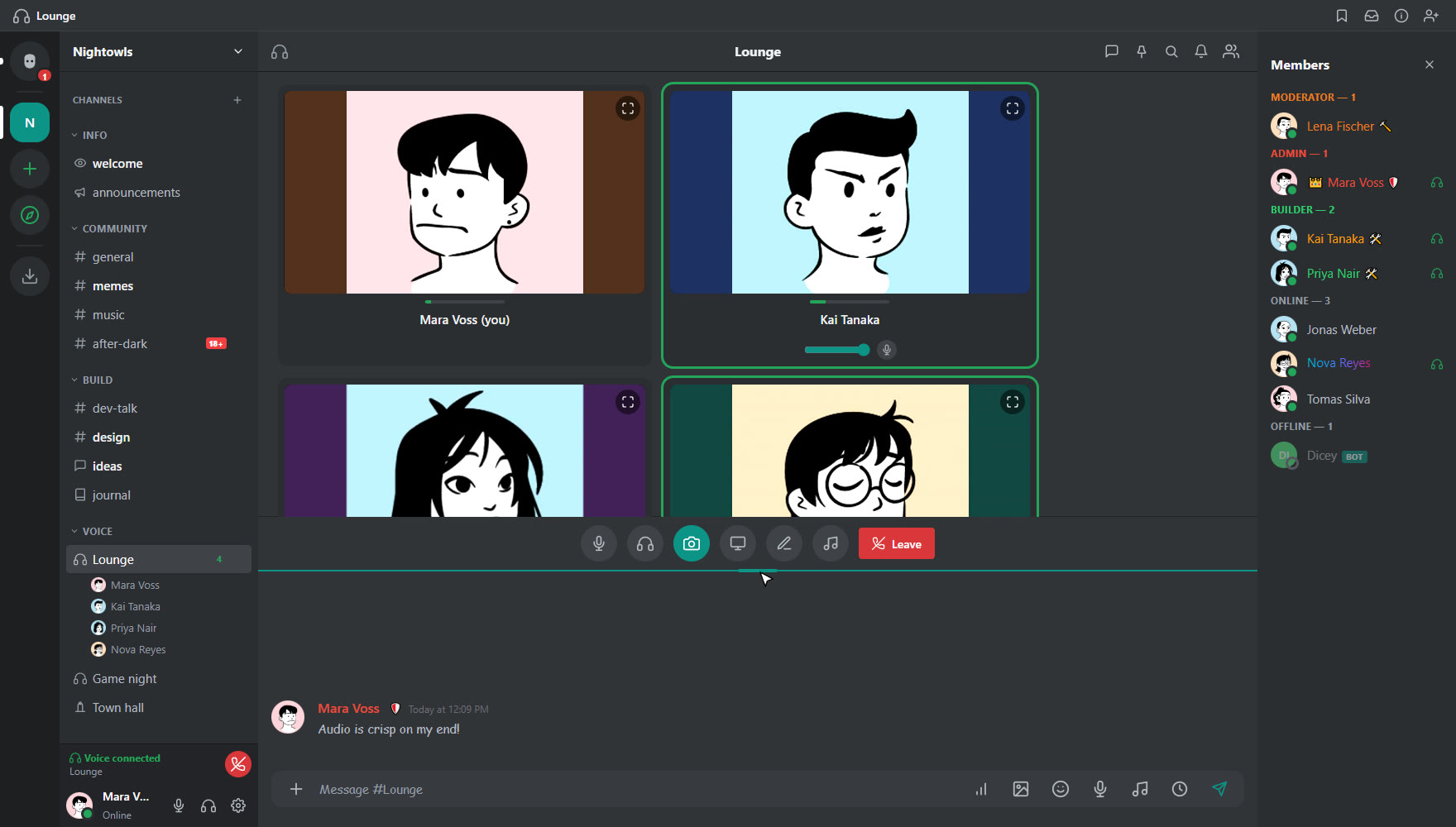
- Voice channels, stage channels and private DM calls with camera and screen share as separate tiles.
- Quality presets chosen when a channel is created: Mobile, Low, Medium, High and HD Music, from 8 kHz up to 48 kHz stereo.
- Optional RNNoise noise suppression, a small neural network that runs on your device.
- Input modes: always on, voice activity or push-to-talk with a release delay and an optional voice-activation fallback, plus echo reduction that lowers playback by 1 to 30 dB while you speak. Echo cancellation and automatic gain control are always on.
- Two voice engines: peer-to-peer mesh (end to end between people) or the optional mediasoup SFU, where each person keeps one connection to the server. Moderator mute and stage rules are enforced by the server in SFU rooms, and calls rejoin by themselves after a server restart or an IP change.
- Calls connect directly over a LAN or a private VPN (Radmin, ZeroTier, Hamachi) with no setup. The quality dot shows how the audio travels: direct, via NAT or relayed.
- A shared whiteboard for stage and voice channels, and a soundboard you can mute or turn down.
- Per-person volume, speaking rings, a live level strip, input device picker and a server soundboard (also from the message box).
- Stage channels with speakers and audience, raise hand and invite to speak.
- Mute for everyone for moderators, and fullscreen for any video tile.
- A resizable call panel: large, scrollable tiles above the text chat, with a divider you drag to give the room or the chat more space.
- Built-in STUN and TURN so calls connect across routers and NAT with no third-party service. Off by default, set up with one script or from the Admin Panel.
The administrator picks one voice engine for the whole server (Admin Panel, Calls), and it applies to every voice channel, stage and DM call.
Peer-to-peer (the default). Every participant sends to every other participant and the server only passes the signaling, so calls stay end to end between people. Calls of roughly eight or more people with video need good upload bandwidth from everyone. On one network (or one private VPN) calls just work. For people on different networks turn on the built-in STUN and TURN server (setup-turn.bat or the Admin Panel, Calls) and forward UDP and TCP 3478 plus UDP 49152-49999 on your router. Only the call audio and video ever use it. How to set it up.
SFU (optional). Everyone uploads once to the server, which forwards the streams, so big or video-heavy rooms stay smooth. Media then goes through the server instead of between people: it terminates the call encryption and can technically hear the call, so use it only on a server you trust. Open UDP and TCP 40000-40003 (voice.sfu.port through port + workers - 1) on the server, router and firewall; people do not need TURN to reach it. If the SFU cannot run, rooms fall back to peer to peer. How to set it up.
Chat and signaling always go through your server in both modes. A room keeps the engine it was created with, so a switch affects new rooms only.
Servers, channels and roles
Nothing is hard-coded: roles are bit flags you edit, and every channel can override them.
- Categories with drag-and-drop ordering of channels and categories.
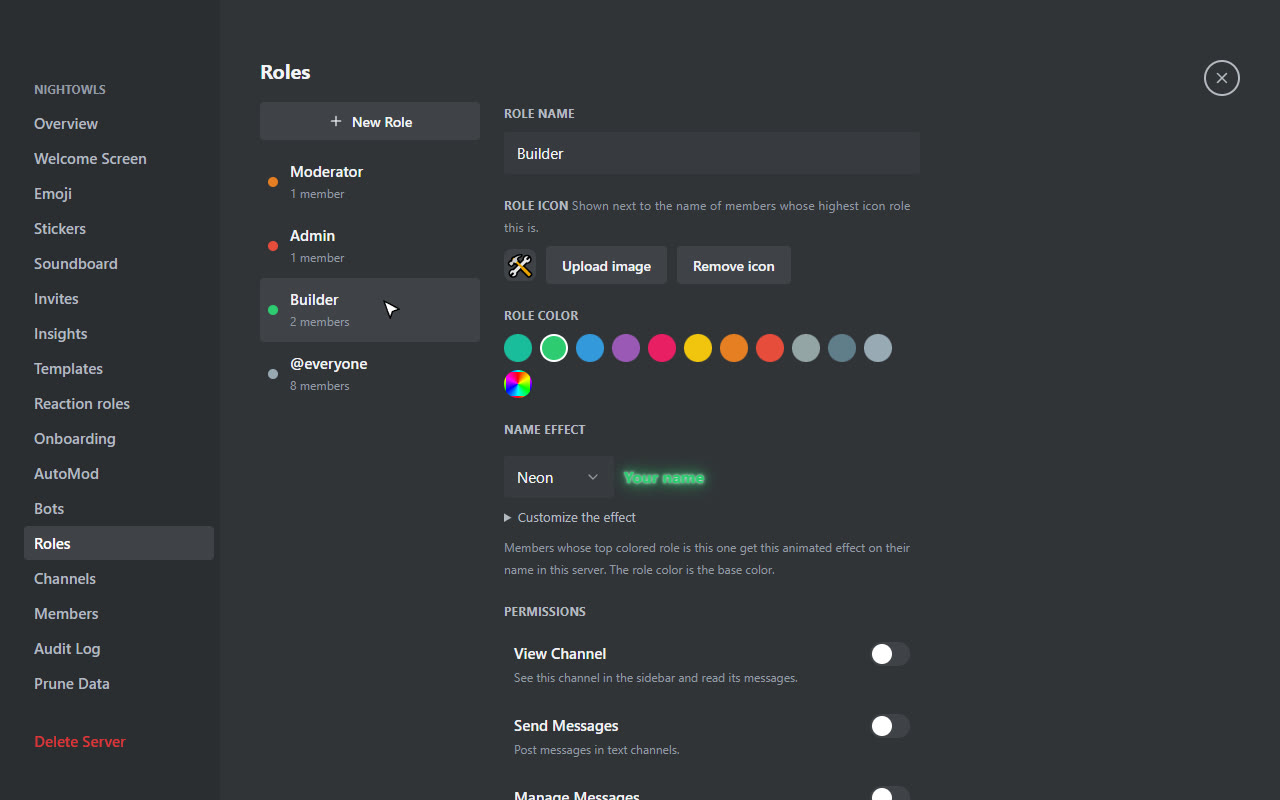
- Roles with 17 permissions, colors and icons (an emoji or an image). Nobody can grant a permission they do not hold.
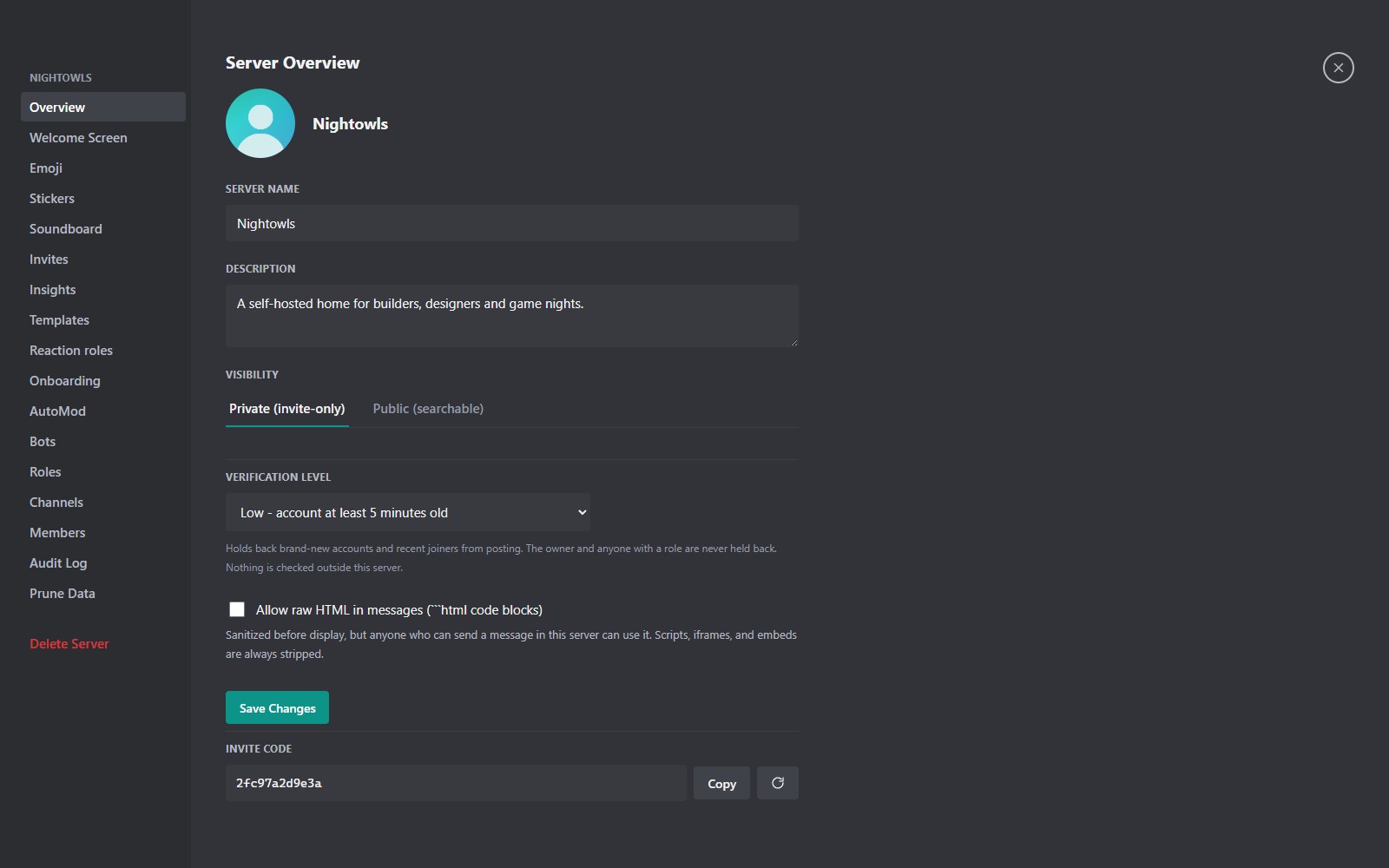
- Per-role and per-user channel overrides, slowmode, topics, icons and a welcome screen.
- Private Notes channels: an encrypted notebook for every member, unreadable even by admins. Notes can hold checklists too, and Save to Notes copies any message into one.
- Notes storage limit: one quota per person across all servers (2 GB by default, adjustable per user by admins), with a usage bar and a per-channel clean-up window.
- A personal server rail with folders, and a discoverable directory of public servers.
Community tools
Grow and look after a community without any extra services.
- Invites that expire and have use limits, plus a vanity link people can type instead of a code.
- Invite links:
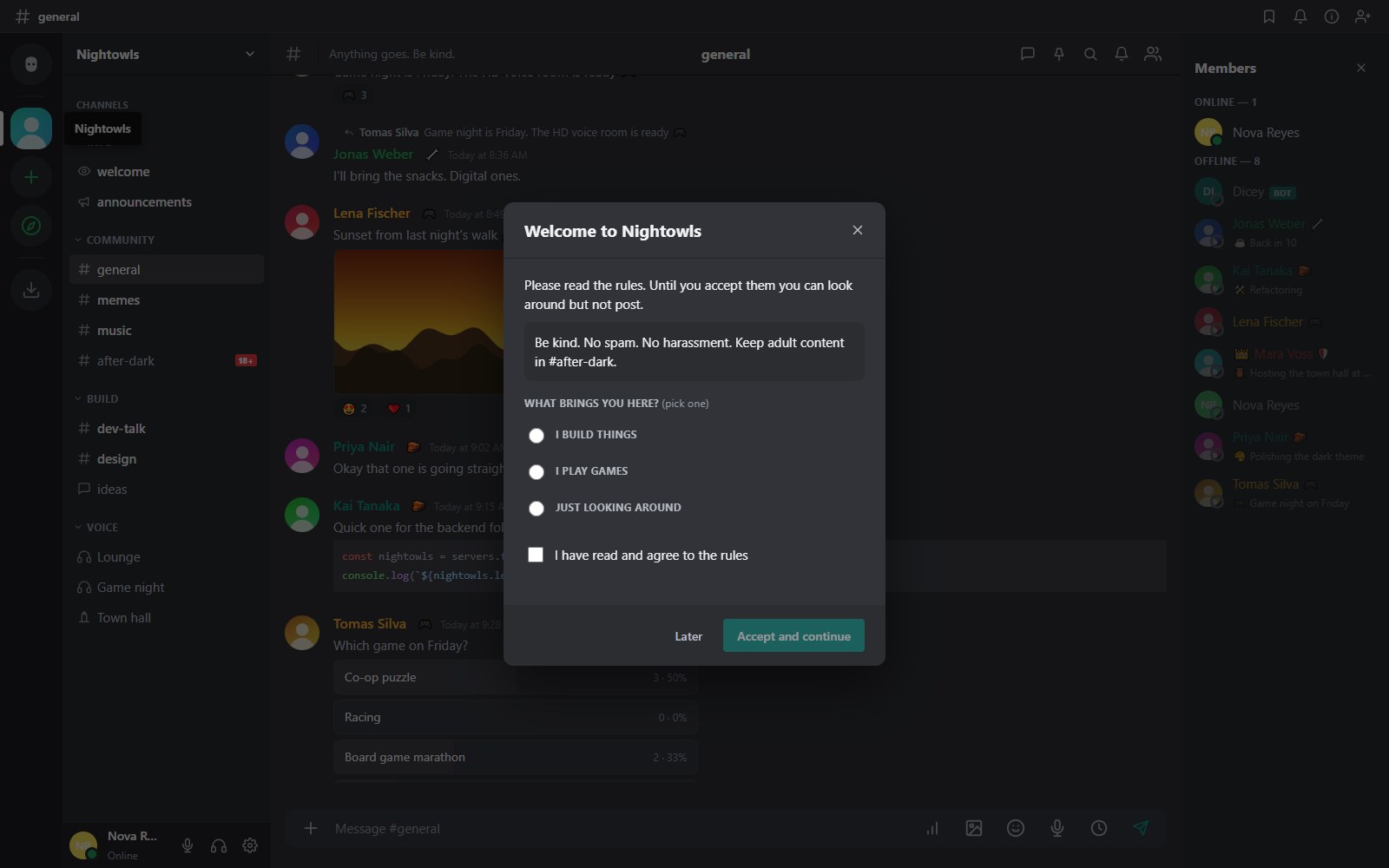
/i/<code>opens a join page with Join in browser and Open in app (mcr://links open the desktop and Android apps, always asking before joining). - Onboarding: new members read the rules, answer up to five questions that hand out roles, and accept before they can post.
- Reaction roles: react with an emoji to get a role, optionally exclusive.
- Server templates that copy structure and permissions, never people, messages or invites.
- Insights with growth and activity charts for 7 to 90 days.
- Scheduled events with RSVP, and a welcome screen with highlighted channels.
Moderation and safety
Practical tools that act before a problem spreads, and leave a record of what happened.
- AutoMod: blocked words, links (block, allow or deny lists), mass mentions, spam and too many capitals, with optional timeouts and exemptions.
- Verification levels hold back brand-new accounts and recent joiners. Everything is local; no email or phone check.
- Captcha on sign-up (always by default) and on sign-in after failed attempts, a registration mode (open, invite only or closed) and subscribable IP blocklists such as FireHOL, Spamhaus and Tor.
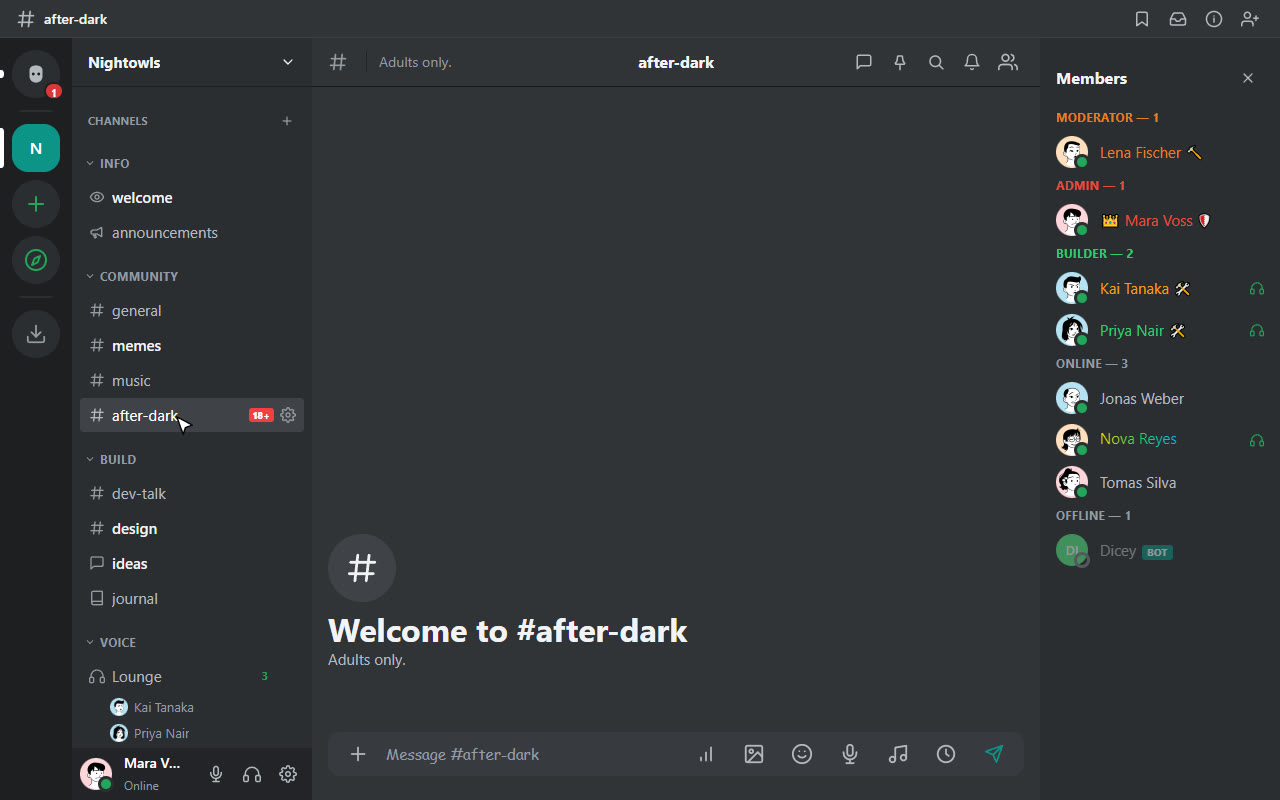
- Age-restricted channels behind a one-time click-through. Nothing is verified and nothing leaves your server.
- Kick, ban, timeout, audit log and a user reports queue with notes, statuses and per-person grouping.
- Member restrictions per server: block one member's name color, name effects, stickers or bio formatting without muting them.
- Data pruning to delete history older than a date, with a preview and an optional 24-hour notice.
Bots and automation
One bot account can be an AI chat partner, a scripted integration, or both.
- AI bots backed by Ollama or any OpenAI-compatible service. They answer mentions and, if you allow it, private DMs.
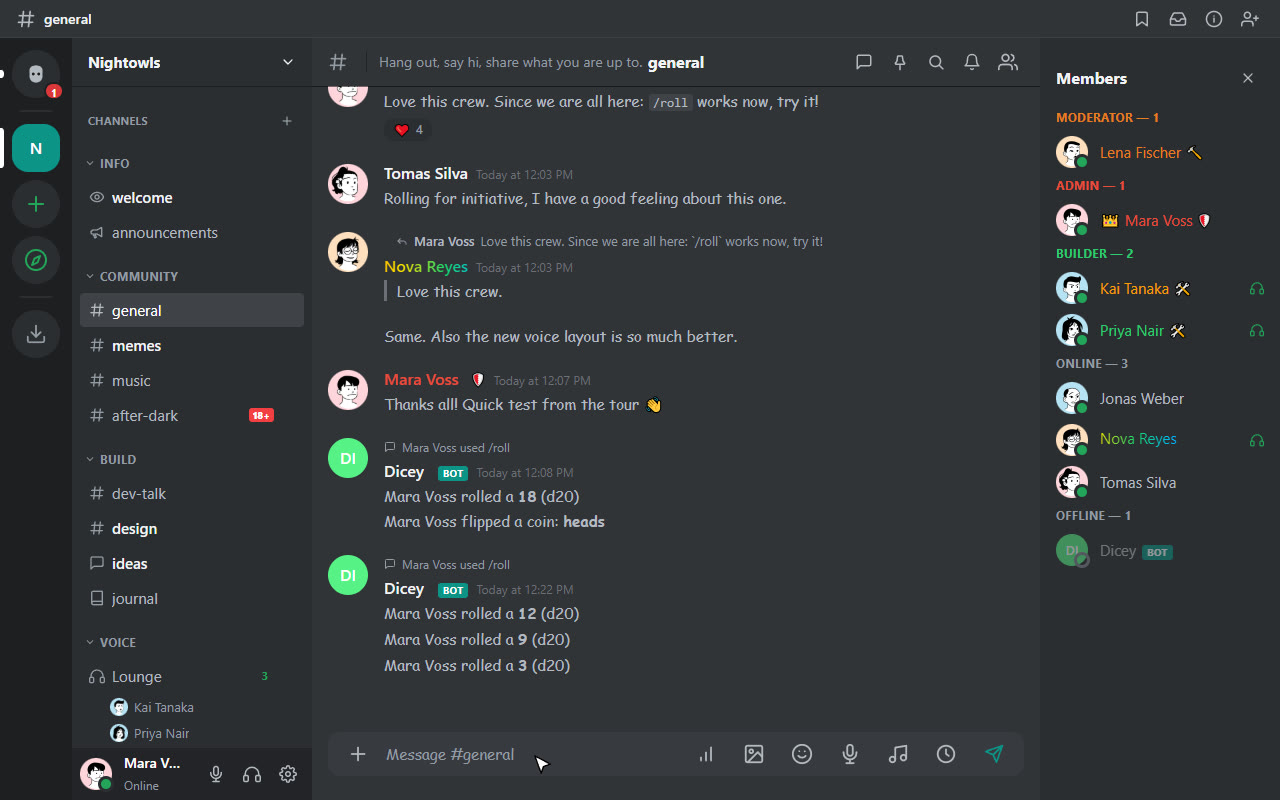
- Bot API with tokens, and HMAC-signed outgoing webhooks that work with n8n, scripts and CI.
- Slash commands published by a bot, with typed options, a popup in the composer and chips on the phone.
- Ephemeral answers that only the person who ran the command can see and that are never stored.
- Incoming webhooks per channel for scripts that only need to post.
Everything an AI bot is asked is sent to its provider. Bots never read group DMs or Notes channels, and only see channels their role can view.
Sites
A Site is a server kind that serves a folder of PHP, HTML, CSS and JS pages inside the app: a team wiki, a rota, a small tool.
- Appears in the server rail and renders in a same-origin frame, with no channels or notifications.
- Built-in code editor (CodeMirror) and a visual editor (TinyMCE) that keeps PHP blocks intact.
- A portable PHP runtime is bundled for Windows; elsewhere use your own PHP.
- Roomy per-viewer storage for browser games and tools (64 MB local storage and cookies, 256 MB IndexedDB), a Clear site data button for every member, and an Available on mobile switch per Site.
Site pages run as part of MeshCrowd. Only give edit rights to people you would give server access.
Federation
Servers can be paired, as many as you like, so that people on one can reach people on the others. It is off by default and never happens by accident.
- Pair with an invite link; each side explicitly accepts or rejects the other, and revoking drops trust on both sides.
- Share friend requests and DMs, list the public servers of every paired instance and join with a
code@domaininvite. - Remote servers are proxied live, never copied. Permissions are always decided by the server that owns the community.
- MeshSwarm: servers can optionally advertise themselves (signed, off by default) to public trackers, and the login page lists the public servers with last online and last updated times. Desktop clients and the Android app remember the servers you use.
Identity and privacy
Strong defaults, and honest documentation about what the limits are.
- Passport: an account key pair created in your browser, exportable as an encrypted
.mcpassfile for sign-in and recovery. - Strengthened sign-in: the browser derives the sign-in key; the server never sees the password of a web account.
- Encrypted DMs at rest: DM text and DM attachments are stored encrypted on the server (AES-256-GCM).
- Devices list: see every browser and app signed in to your account and sign any of them out.
- Two-factor authentication with TOTP and recovery codes, revocable server-side sessions and rate limiting.
- HTTPS by default with an automatic certificate, or bring your own.
Read the security model for details and known limits.
Personalization
The interface adapts to people, not the other way round.
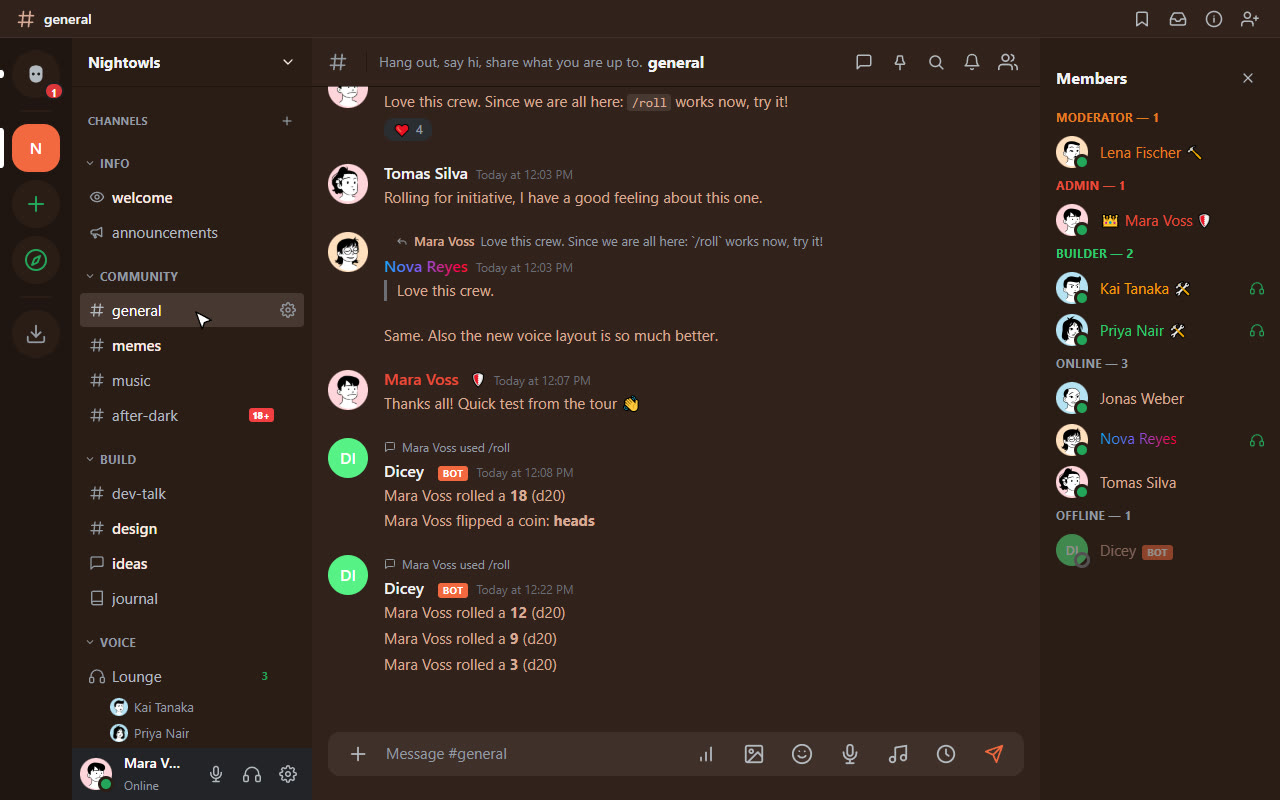
- Themes per user: presets or your own colors, fonts and a background gradient, shareable as a snippet.
- Profiles with avatar, banner, bio, custom status and presence, plus per-status sound rules.
- Name colors and animated name effects (rainbow, gradient, glow, neon, pulse, shimmer, fire, wave) with your own color stops and speed; roles can carry an effect too, and a server role always outranks your personal look there.
- Notification grid: for each status (Online, Away, Busy, Invisible) and each kind of event, choose sound, desktop and phone alerts. Auto away switches your status after the idle time you set.
- Resizable sidebars, server folders and a language switch (English and Hungarian).
Clients
Use whatever suits the moment. They all talk to the same server.
Web
Nothing to install, every feature available in any modern browser.
Desktop
A tray badge with your own colors, a clickable list of recent notifications in the tray menu, native notifications, download progress, close to tray and certificate pinning for self-signed servers. Comes as an Electron app and as a smaller single-exe WebView2 client.
Android
A phone-first interface with local background notifications and optional UnifiedPush, no Google services needed. Recent chats and servers stay readable offline. Share links, text, pictures and files from any app straight into a chat with Send to MeshCrowd.
Administration
Run it like a service, even when it lives on a small box.
- Admin panel with stats, user management, staff ranks and instance-wide server management.
- Instance profile: a name, description, logo and icon shown on the login page, with a registration badge.
- Runtime upload size limit and optional extension allowlist.
- Portable bundle with its own runtime, and a backup that is just a folder copy.
- Admin console in the server window or over SSH (password plus TOTP), with account, ban, config and backup commands, plus scheduled zip backups, restore and leveled log files.
- An optional Launcher control panel for Windows that edits every setting and starts, stops and restarts the server.
- Plenty of automated tests (the suite currently has more than 1,300).